


Go Convenience store Ready
3.3156.00 Reviews
App Specs
- Version
- 1.2.13
- Updated On
- License
- Free
- Downloads
- 10,000,000+
- Developer
- zame
- Categories
- Casual
- Platform
- Android
Screenshots
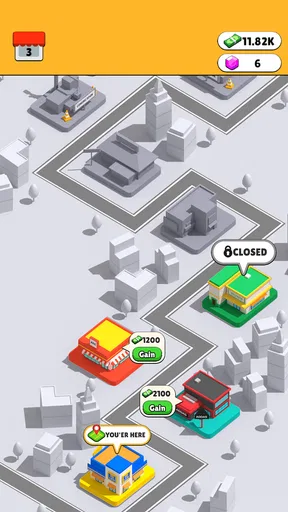

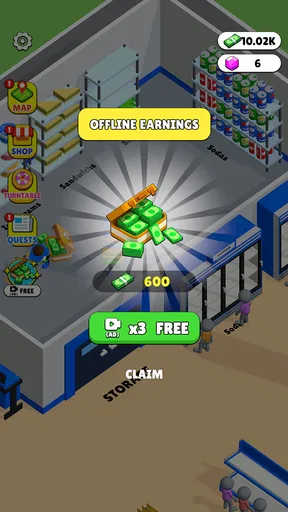
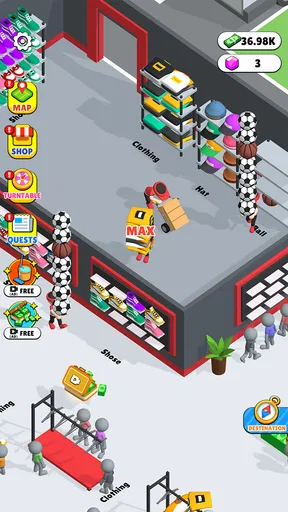
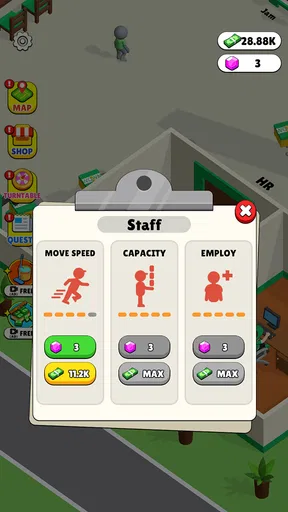
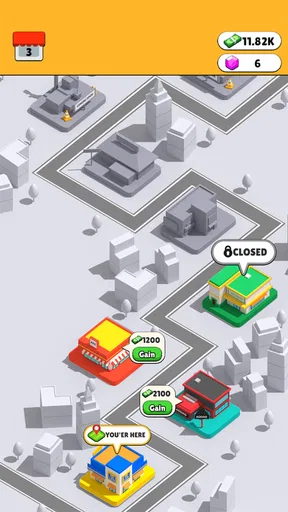

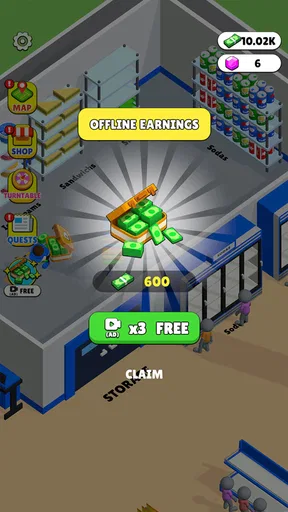
 Analysis by AppCompare
I approached Go Convenience Store Ready expecting a shopping app, but it is actually a casual simulation game. That distinction matters: there is no real shopping or delivery to arrange here. The appeal is in taking a small in-game action, seeing what happens, and deciding whether I want another round. It suits a spare moment better than a long, goal-heavy gaming session, though the simple premise may feel slight if you want a more involved simulation.
Its store tagline, “Go Convenience,” can sound like a service for ordering everyday goods, so I would set expectations carefully. This is a game developed by zame, not a way to buy snacks or track a courier. The store describes it as a leisure-oriented simulation, and that is the useful frame for judging it: the experience should be considered as casual play rather than practical shopping.
Who the casual loop suits
I can see this working for someone who wants a light game to open while waiting for a kettle to boil, sitting through a short commute, or taking a quick break between tasks. The key question is whether you enjoy a small, repeatable simulation loop. If you prefer puzzles with a clear solution, deep strategy, or a story that keeps unfolding, this may not give you enough variety to hold your attention.
That distinction also helps when choosing between it and familiar casual alternatives. A match-style puzzle usually asks you to solve a board; an idle game often centers on watching progress accumulate; a management sim may reward planning a larger operation. This title is presented as a convenience-store simulation, so its basic attraction is the setting and the repeatable activity around it. I would pick it for a change of pace, not as a substitute for a complex business sim or a tightly structured puzzle game.
What to expect before installing
The game is free to install, with optional in-app purchases priced from $2.99 to $9.99 per item. I would treat those as a reason to pause before spending, not as a promise that a purchase is necessary. Try the basic play first and decide whether the loop is enjoyable on its own. That is a useful habit with any free casual game, especially when you are only looking for something to fill a few minutes.
It is rated for Everyone, which makes it broadly suitable as a casual pick for different ages. The game has an average rating of 3.5 from around 4,100 ratings, and more than 10 million installs. Those figures suggest it has reached a sizeable audience, but they do not tell me whether its particular rhythm will suit you. I would weigh the simple premise and your own tolerance for repetition more heavily than popularity.
On Android, the listed minimum operating system is version 8.0, and the current version is 1.2.13. It was released on May 23, 2024. Those details are handy if you are checking compatibility before installing; they do not change the main decision, which is whether a compact store-themed simulation sounds fun to you. If your device meets the requirement, the most sensible test is to play a little before deciding whether it deserves a place on your home screen.
Worth Reading Before You Choose

EA SPORTS FC Mobile 26 Is a Bigger Football Game, but It Takes Time

Flipboard Shows What News Apps Must Do Beyond the Feed

Switching to Android Auto Means Rethinking Your Driving Routine

Google Calendar Makes a Crowded Week Easier to Manage

Ludo King Makes the Most of the Minutes Between Plans

Baby Panda World Brings Quick Play to Modern Phones, but Its Game Library Feels Busy
There is also a practical difference between this and a real convenience-shopping app: a game does not solve an urgent need for groceries, toiletries, or a late-night snack. If you need an item delivered, use a local retailer or delivery service instead. If you want a casual diversion with a shop setting, this is the relevant use case. Keeping those two expectations separate avoids the frustration of downloading it for the wrong reason.
One small tip for evaluating it is to notice how the game handles pauses. Casual games are most useful when you can stop without feeling that you have lost track of a complicated plan. Give it a short session, close it, then return later and see whether the next action feels inviting or like a chore. That simple test tells you more about its fit than trying to force a long play session on the first day.
I would also be deliberate about purchases if you share a device or let younger players use it. The Everyone rating speaks to the content classification, while optional item prices are a separate consideration. A free download does not mean every later choice is free, so checking purchase settings and discussing them with children can prevent surprises. That is a general bit of good practice, not a reason to assume the game requires spending.
Its modest average rating is another reason to keep expectations grounded. I would not interpret it as a guarantee of poor play, but it does suggest that the game will not be a universal favorite. People who like the theme and uncomplicated repetition may enjoy it; players expecting broad systems, elaborate progression, or a polished challenge may come away wanting more. The fairest approach is to judge the opening loop for yourself rather than assuming that a large install count means it is a perfect match.
First impressions and setup
Getting started with the game was straightforward. It is free to install, and the store information lists it for Android devices running version 8.0 or later. After opening it, I found the basic presentation easy to approach, which is important for a casual title: I would rather understand what to do quickly than spend a short break sorting through a complicated setup. The current version is 1.2.13.
Making sense of the store setting
The convenience-store theme gives the simulation its identity, but I would not mistake that theme for a real product catalogue. The satisfying part is the game activity itself, not comparing brands or planning an actual shopping basket. That makes it a better fit for playful downtime than for anyone who downloaded it hoping to place an order. I found it useful to think of the shop as a setting for the game’s loop, rather than as a digital storefront.
The game’s short store description is “Go Convenience,” while its broader pitch is leisure-focused simulation. In practice, that means I would approach it without expecting the depth of a full management game. It is aimed at an easygoing mood: open it, engage with the shop-themed activity, and see if the feedback gives you a reason to continue. If what you want is a substantial economy to optimize, another simulation with clearly deeper management systems will probably be a better choice.
How I would fit it into a day
Imagine having a few minutes before an appointment, with no time to start a long game and no need to check messages again. That is where I would try this one: a brief session that gives my attention something light to do, then an easy exit when it is time to leave. The same approach works during a quiet break at home. I would not plan around it as a major evening activity unless the repeatable store simulation genuinely clicks for me.
The developer is zame, and the title sits in the casual-game space. That helps set a reasonable bar: quick access and an understandable activity matter more here than intricate controls or a demanding learning curve. The trade-off is that an uncomplicated loop can start to feel familiar quickly. If you notice yourself repeating actions without enjoying the feedback, there is little reason to keep playing just because the game is designed for short sessions.
It is also worth separating “easy to pick up” from “endlessly engaging.” A casual game can be accessible and still lose its charm once you understand its rhythm. I would give it enough time to see whether the store theme and its interaction feel satisfying, but I would not mistake repetition for progression. If you need fresh challenges that steadily become more demanding, look for a title that makes that kind of escalation central.
First Impressions and Setup
Getting started with the app was a breeze. The installation process was quick, and the app is available for both Android and iOS platforms, so you're covered no matter your allegiance. Once I opened it, I was greeted with a sleek and intuitive interface that just screams "user-friendly." It's like the app knew I was in a rush and needed to get my shopping done pronto.
Features That Stand Out
The first thing that caught my eye was the comprehensive range of products. From snacks to toiletries, Go Convenience Store Ready has it all. It's like walking into your local convenience store but without the hassle of, you know, actually walking.
One feature I found particularly handy was the personalized recommendations. The app seems to learn your preferences over time, suggesting products you might like based on past purchases. It's like having a personal shopper who just gets you. I have to say, it made my shopping experience much more enjoyable.
Another cool feature is the order tracking. You can see exactly when your order will arrive, and even track the delivery in real-time. No more pacing around wondering when your snacks will show up. This added transparency really enhances the customer experience.
Usability and Performance
The app runs smoothly, with minimal lag even when loading product images and descriptions. Navigation is straightforward, thanks to the well-organized menu and search functionality. I found it easy to switch between categories, and the filtering options made it a cinch to find what I was looking for.
On the performance side, I experienced no crashes or glitches during my usage. Everything was seamless, which is always a relief when trying a new app. It gives you confidence that the developers have put in the hard work to ensure a stable experience.
Why You Might Love It
If you're someone who values convenience and efficiency, this app is a game-changer. It's perfect for busy people who might not have time to make it to the store. Plus, with the ability to save your favorite items, reordering is a snap. Just one tap, and your essentials are on their way.
Another aspect worth mentioning is the rewards program. Frequent users can earn points with every purchase, which can be redeemed for discounts. It's a nice little perk that makes you feel appreciated as a customer and encourages you to keep coming back.
Potential Hiccups
While my experience was largely positive, it's worth noting that availability can vary based on location. Some items might not be in stock if you're in a more remote area, which can be a bummer if you're craving a specific snack.
Additionally, while the app supports multiple payment options, including credit cards and mobile wallets, I did notice that cash on delivery isn't available in all regions. It's something to keep in mind if you're used to that payment method.
Final Thoughts
Overall, Go Convenience Store Ready is a fantastic app for anyone looking to streamline their shopping routine. The convenience it offers is hard to beat, and with its user-friendly design, it's accessible to just about everyone. Whether you're on a tight schedule or just love the idea of shopping without leaving your couch, this app is worth checking out.
So, if you're ready to revolutionize your shopping experience, why not give it a try? You might just find yourself wondering how you ever lived without it.
Pros
- Intuitive user interface enhances shopping experience.
- Wide variety of products available for purchase.
- Fast and reliable delivery service.
- Convenient payment options
- including digital wallets.
- Real-time inventory updates prevent out-of-stock issues.
Cons
- Limited coverage area restricts usage for some users.
- Occasional app crashes disrupt shopping sessions.
- Customer support response times can be slow.
- Some items have higher prices compared to stores.
- Discounts and promotions are infrequent.
FAQs for Go Convenience store Ready
What is Go Convenience Store Ready?
Go Convenience Store Ready is a mobile app designed to enhance your shopping experience by providing a seamless way to locate, order, and pay for items from local convenience stores. It offers real-time inventory updates, exclusive deals, and a user-friendly interface that makes shopping more efficient and convenient.
How user-friendly is the app's interface?
The app boasts an intuitive and user-friendly interface, ensuring that users can easily navigate through different sections. Whether you're searching for a specific item or exploring deals, the app's design prioritizes simplicity and ease of use, making it accessible for users of all ages and tech-savviness.
Are there any exclusive deals available through the app?
Yes, Go Convenience Store Ready offers exclusive deals and discounts that are only available to app users. These promotions are updated regularly, providing users with access to significant savings on a variety of products. This feature helps users save money while enjoying the convenience of shopping from their mobile devices.
What payment methods are supported by the app?
Go Convenience Store Ready supports a variety of payment methods, including credit and debit cards, as well as popular mobile payment options like PayPal, Google Pay, and Apple Pay. This flexibility allows users to choose their preferred payment method, ensuring a smooth and secure transaction process.
Is the app available for both Android and iOS devices?
Yes, Go Convenience Store Ready is available for download on both Android and iOS platforms. Users can easily find the app on the Google Play Store for Android devices and the Apple App Store for iOS devices, ensuring widespread accessibility regardless of the operating system.


